Free website accessibility testing tools compared: what they catch and what they miss
WAVE, Lighthouse, axe DevTools and Accessibility Insights will flag some accessibility barriers in seconds. We built a test page with five barriers: Lighthouse gave it a score of 100 and axe reported no issues. Here is what each tool checks, what none of them can see, and how to use them together.
This article was created using artificial intelligence (AI). Published under the editorial responsibility of MEZA P.S.A. Accurate as of 23 November 2026.
As of 20 November 2026. We describe the free versions of these tools based on their documentation and our own tests on 12 October 2026 (test page, WAVE) and 20 November 2026 (Lighthouse on our site). This comparison is not a ranking.
The short answer
Free tools quickly find some common errors: missing alt text, low contrast, form fields without labels, broken ARIA. They cannot tell you whether alt text makes sense, whether the whole page works with a keyboard, or whether information is conveyed by colour alone.
The W3C, which publishes WCAG, puts it plainly: evaluation tools cannot determine accessibility, they can only assist in doing so. Some checks cannot be automated and need human judgement, and tools can sometimes produce false or misleading results.
What a tool checks, and what is left for a person
Based on the Lighthouse 12.8 audit list and the tools’ documentation:
Checked automatically (examples of Lighthouse audits):
- whether images have an
altattribute (but not whether the text is meaningful); - whether text and background colours have enough contrast;
- whether form fields have associated labels;
- whether links and buttons have names that screen readers can announce;
- whether the page has a language and a title;
- whether headings follow a logical order;
- whether touch targets are large enough and spaced well.
Left for manual checks (Lighthouse’s “additional items to manually check” and WebAIM’s notes on WAVE):
- whether every interactive element can be reached and used with a keyboard;
- whether the tab order is logical and matches what you see;
- whether keyboard focus can get trapped, for example in a chat window;
- whether focus moves to new content, such as a basket message, when it appears;
- whether alt text is accurate and decorative images are hidden from screen readers;
- whether information is conveyed by colour alone;
- whether link text says where the link goes.
The second list decides whether someone using a keyboard or a screen reader can complete a purchase or a booking at all.
Test: a page with five barriers
To show the limits of automated tools, we built a simple guesthouse page with five barriers that automated checks usually miss:
- the photo’s alt text is just “photo”;
- available and booked dates in the calendar differ only by colour;
- two “click here” links go to different places;
- the stylesheet hides the focus outline, so keyboard users cannot see where they are;
- the “Book now” button is a
divwith a mouse click handler that cannot be reached with the Tab key.
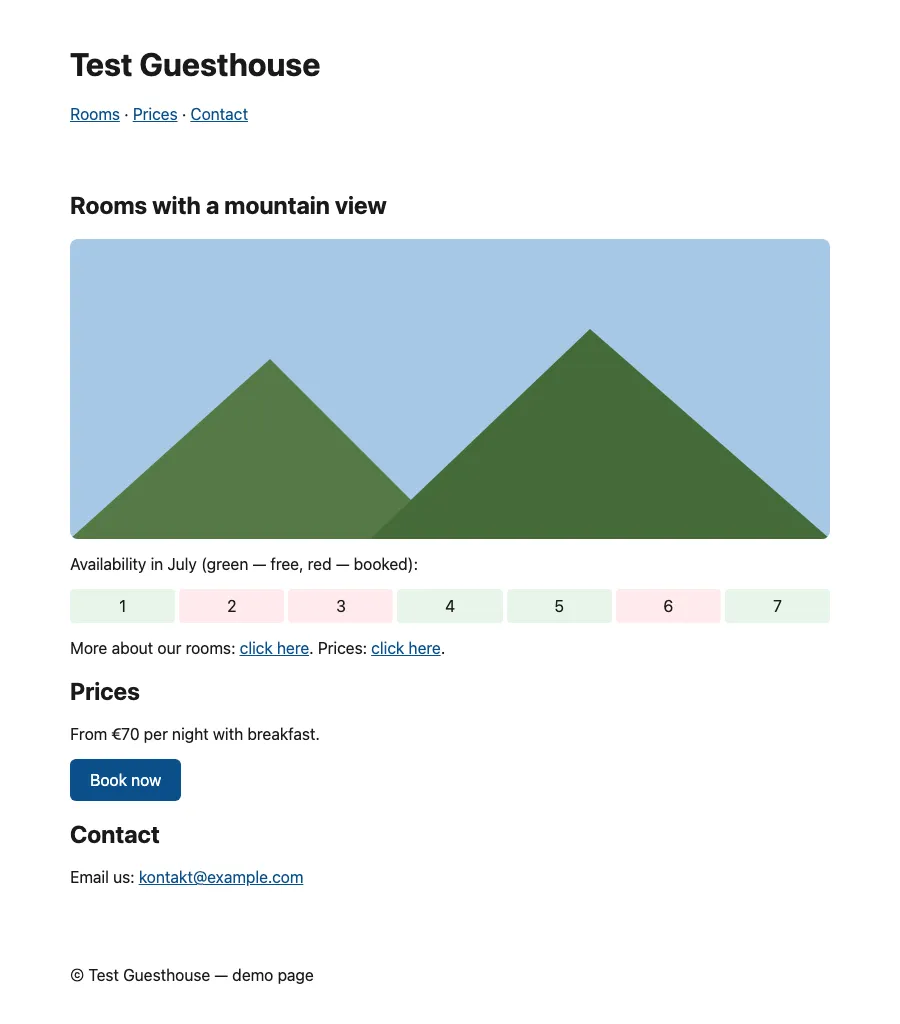
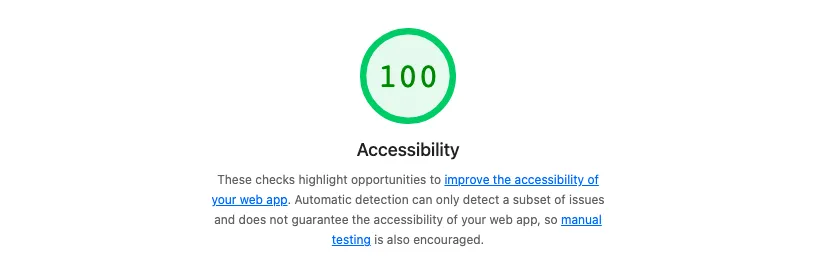
The result: Lighthouse 12.8 gave the page 100 for accessibility. The axe-core 4.14 library, which axe DevTools is built on, reported no violations.
You can spot every one of these barriers without a tool: tab through the page, read the alt text and look at the calendar as if it had no colours. Our quick accessibility check explains how.
Four free tools (not a ranking)
| Tool | Where it runs | What it does automatically | What it helps you check by hand |
|---|---|---|---|
| WAVE (WebAIM) | wave.webaim.org for public pages; Chrome, Firefox and Edge extensions | marks errors, alerts and structure with icons on the page | shows alt text, reading order and heading structure for a person to judge |
| Lighthouse (Google) | built into Chrome DevTools | a 0–100 score as a weighted average of audits; each audit passes or fails | a list of items to check manually, which does not affect the score |
| axe DevTools (Deque), free version | Chrome, Firefox and Edge extensions | scans the page with axe-core rules, with a description and impact for each issue | guided tests are in the paid Pro version |
| Accessibility Insights for Web (Microsoft) | Chrome and Edge extension | FastPass: automated checks powered by axe-core | an assisted keyboard tab-stop test; an Assessment mode with about 20 manual tests for WCAG 2.1 AA |
From the documentation:
- WAVE. The online version checks public pages. The extensions also work on local, password-protected and script-generated pages. WebAIM says that the absence of errors does not mean a page is accessible or compliant, which is why WAVE never says a page has “passed”. It cannot judge whether alt text is appropriate, but it shows it to you.
- Lighthouse. The score is a weighted average of automated audits. A page gets no credit for partially passing: if some buttons have accessible names and others don’t, the audit fails. Manual and low-impact audits don’t affect the score. Lighthouse uses axe-core rules.
- axe DevTools. The free extension scans the page automatically. Deque says on its site that the tool catches 57% of accessibility issues. That is the vendor’s own claim, not an independent measurement. Guided tests (Intelligent Guided Tests) come with the paid Pro version.
- Accessibility Insights. The tool is open source. Its documentation says automated checks can detect some common problems, but most accessibility problems can only be found through manual testing.
Three of the four tools are built on the same axe-core library, so running them one after another gives similar results. WAVE has its own rules.
Our own site in two tools
We ran the meza.agency English home page through the tools: Lighthouse on 20 November 2026, WAVE on 12 October 2026.
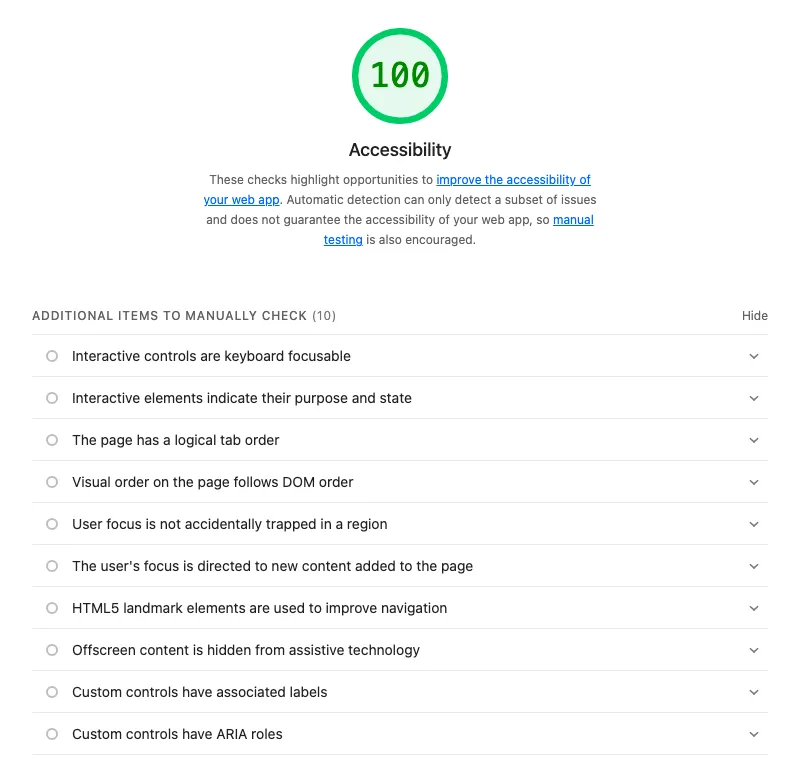
Lighthouse scored it 100 and listed 10 items to check manually, including whether interactive controls are keyboard focusable, whether the tab order is logical and whether focus gets trapped.
WAVE showed 5 “missing alternative text” errors and 2 contrast errors on the same page (as of 12 October 2026). We checked each one. All of them are in decorative illustrations, such as a phone mock-up of a chat, which are hidden from screen readers with aria-hidden. WAVE does this on purpose: according to its documentation, it checks hidden elements too, because they may be shown to users, and when in doubt it errs on the side of users with disabilities.
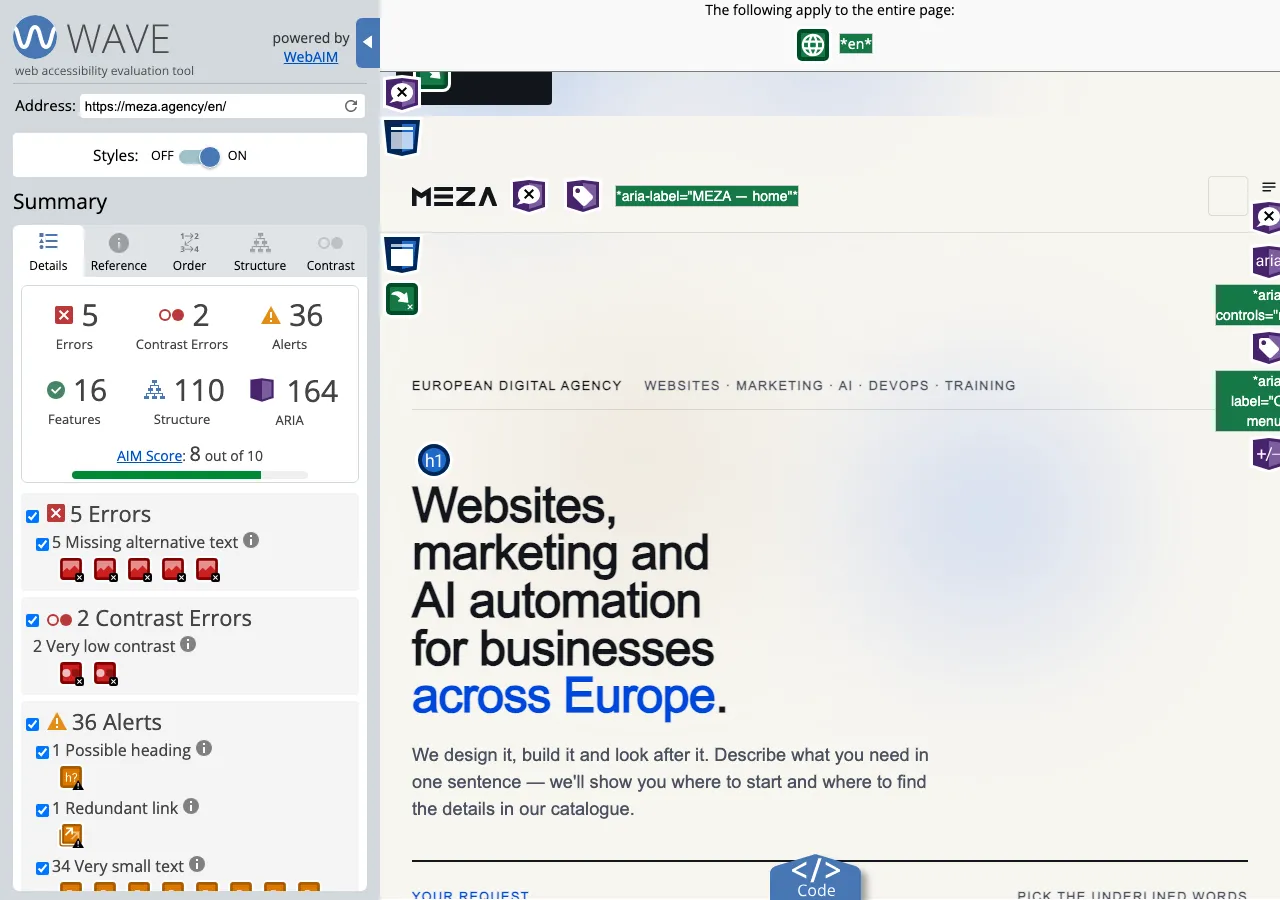
The takeaway: two tools give two different pictures of the same page. Neither replaces a person who knows what is decoration and what is content.
Three common misunderstandings
- “We score 100 in Lighthouse, so we meet WCAG.” The score covers automated audits only. The Lighthouse report itself says only some issues are detected automatically and recommends manual testing.
- “WAVE found no errors, so the page is accessible.” WebAIM says plainly that no errors does not mean accessible or compliant.
- “We tested the home page, so the whole site is fine.” The W3C notes that some tools check a single page and others whole groups of pages. The free extensions usually check the page you have open. The basket, forms and booking pages need their own tests.
How to use the tools together
- Pick your key templates. Home page, product or room list, product page, forms, basket or booking.
- Run one axe-core based tool (Lighthouse, axe DevTools or Accessibility Insights) and WAVE. Fix the clear errors. Save the results with a date so you can compare after fixes.
- Review the rest by hand. Go through each journey with a keyboard, check alt text, text over images and form error messages.
- Test with a screen reader, at least one purchase or booking from start to finish.
- Repeat after any major change to templates, themes or plugins.
If your shop or booking system is covered by the European Accessibility Act, a tool’s score is not proof of compliance. We explain what applies in Ireland and the UK in our guide to website accessibility rules in Ireland and the UK.
How we can help
In our accessibility audits, we check whether someone using a screen reader, a keyboard or zoom can get through your checkout or booking flow from start to finish. Then we fix whatever stops them.
- You get a free quote within 24 hours, including weekends and public holidays.
- The price is fixed once quoted.
- We work under a written contract, with staged payments and a VAT invoice for each.
- We fix issues free of charge for 30 days after the work is finished.
- W3C WAI — Selecting Web Accessibility Evaluation Tools (text read from the official W3C GitHub repository) · accessed 20 November 2026
- WebAIM — WAVE Help · accessed 20 November 2026
- Chrome for Developers — Lighthouse accessibility score · accessed 20 November 2026
- Deque — Axe DevTools Chrome extension · accessed 20 November 2026
- Microsoft — Accessibility Insights for Web, overview · accessed 20 November 2026
- Microsoft — Accessibility Insights for Web, FastPass · accessed 20 November 2026
This article was created using artificial intelligence (AI). Published under the editorial responsibility of MEZA P.S.A. Accurate as of 23 November 2026.
Questions we hear most often
Can't find your question? Write or call — we'll give you a straight answer, no strings attached.
hello@meza.agency+48 889 009 55001Does a Lighthouse score of 100 mean my site is accessible?
No. Lighthouse checks only some issues automatically, and manual checks do not count towards the score. Our test page with five barriers scored 100. The Lighthouse report itself recommends manual testing.
02Which free tool should I start with?
Any of the four will catch common problems such as missing alt text or low contrast. WAVE needs no installation for public pages. Lighthouse is built into Chrome. Accessibility Insights also walks you through a keyboard test. This is not a ranking: pick the one that fits how you work and add manual testing.
03Is an automated tool enough to meet the European Accessibility Act?
No. The W3C says evaluation tools cannot determine accessibility, they can only assist, and some checks cannot be automated. You need a person to test with a keyboard and a screen reader and to review the content.
04Why does WAVE show errors that Lighthouse doesn't?
The tools use different rules. WAVE deliberately checks hidden content too, for example elements hidden with aria-hidden, because it may be shown to users. On our site, every WAVE error was in a decorative illustration hidden from screen readers. A person has to judge results like these.
Related services
Services1
See also
How to run a quick accessibility check on your website: keyboard, focus, zoom and contrast
A do-it-yourself accessibility check for small business websites: keyboard navigation, visible focus, skip links, 200% zoom, form labels, colour contrast to WCAG 2.2 and image alt text. With screenshots.
accessibilityWebsite accessibility for small businesses in Ireland and the UK: the European Accessibility Act and UK law explained
A plain-English guide for small businesses: Ireland's S.I. No. 636/2023 implementing the European Accessibility Act, who is covered and exempt, enforcement and penalties, and how the UK Equality Act 2010 differs. Not legal advice.
short-term lettingShort-term letting in Ireland and the EU: registration rules for hosts in 2026
Short-term letting registration in Ireland and the EU in 2026: Regulation (EU) 2024/1028, the Short-Term Letting and Tourism Bill 2026, the Fáilte Ireland register (planned to open 1 December 2026), what hosts will declare, registration numbers in listings, platform checks and the planning rules in force since March 2026. As of 20 November 2026.
Tell us about your project. Free quote within 24 h.
A few sentences are enough. Within 24 hours of your enquiry — including weekends and public holidays — you get a quote with the scope and a fixed price.
- hello@meza.agency
- Phone
- +48 889 009 550
- Quote
- within 24 hoursof your enquiry, incl. weekends and public holidays
- Languages
- English, Polish, Ukrainian, RussianGerman in writing
Thank you, we’ve received your enquiry.
You’ll get your quote within 24 hours, including weekends and public holidays.